Characteristics of the Moratti Trike Scooter
- The steering feels heavier compared to a regular motorcycle.
- Do not make sharp turns at high speed.
- Always make U-turns slowly.
 BALI
MORATTI SCOOTER TRIKES · BALI
To help ensure your safety, please read this manual carefully before riding and make sure you always follow the instructions below:

moratti scooter trikes
Understand all information in this manual, including safety precautions and warnings regarding hazardous situations.
Understand the emergency procedures for operating the Moratti Scooter.
Understand all warning labels attached to the Moratti Scooter.
Do not disassemble the scooter or any of its parts. Please contact the Moratti call center for repair services or replacement needs.
Keep this manual in a safe place. All scooter parameters have been confirmed to meet national standards before leaving the factory.
Obey all traffic laws and road signs in accordance with regulations governing passenger and goods transportation. Always ensure road conditions and scooter conditions are safe to avoid dangerous situations.
Avoid riding in severe weather such as storms or strong winds. In rainy conditions, reduce speed as braking distance will be longer.
Avoid using the high beam when lighting conditions are already sufficient. Continuous use of the high beam may disturb the vision of oncoming drivers and pedestrians, affecting road safety.
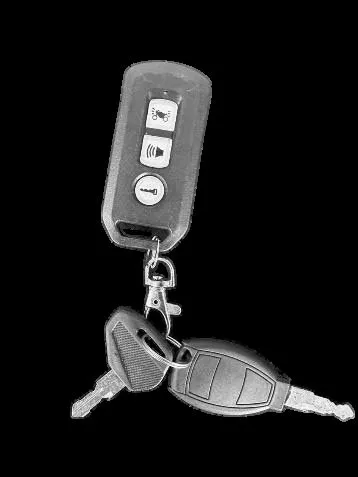
Turn off the scooter and keep the FOB key safely after use. Do not allow children to play around the scooter to avoid unwanted incidents.
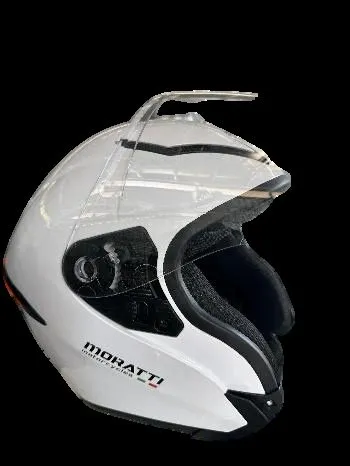
Wear proper safety equipment such as an SNI-certified helmet and other protective gear if needed, such as gloves and a mask.
The maximum speed of this scooter is 60 km/h. Do not exceed this speed, as it may endanger both the rider and other road users.
To help ensure your safety and the safety of others, please pay attention to the following

Do not lend your Moratti scooter to anyone who is unable to operate it properly, to prevent injury.
Always comply with all applicable laws and regulations while riding on public roads.
Do not ride while under the influence of medication that may affect your ability to ride, while intoxicated, or when you are not fit/healthy.
Make sure to ride only on flat and even roads for both front wheels to reduce the risk of accidents.

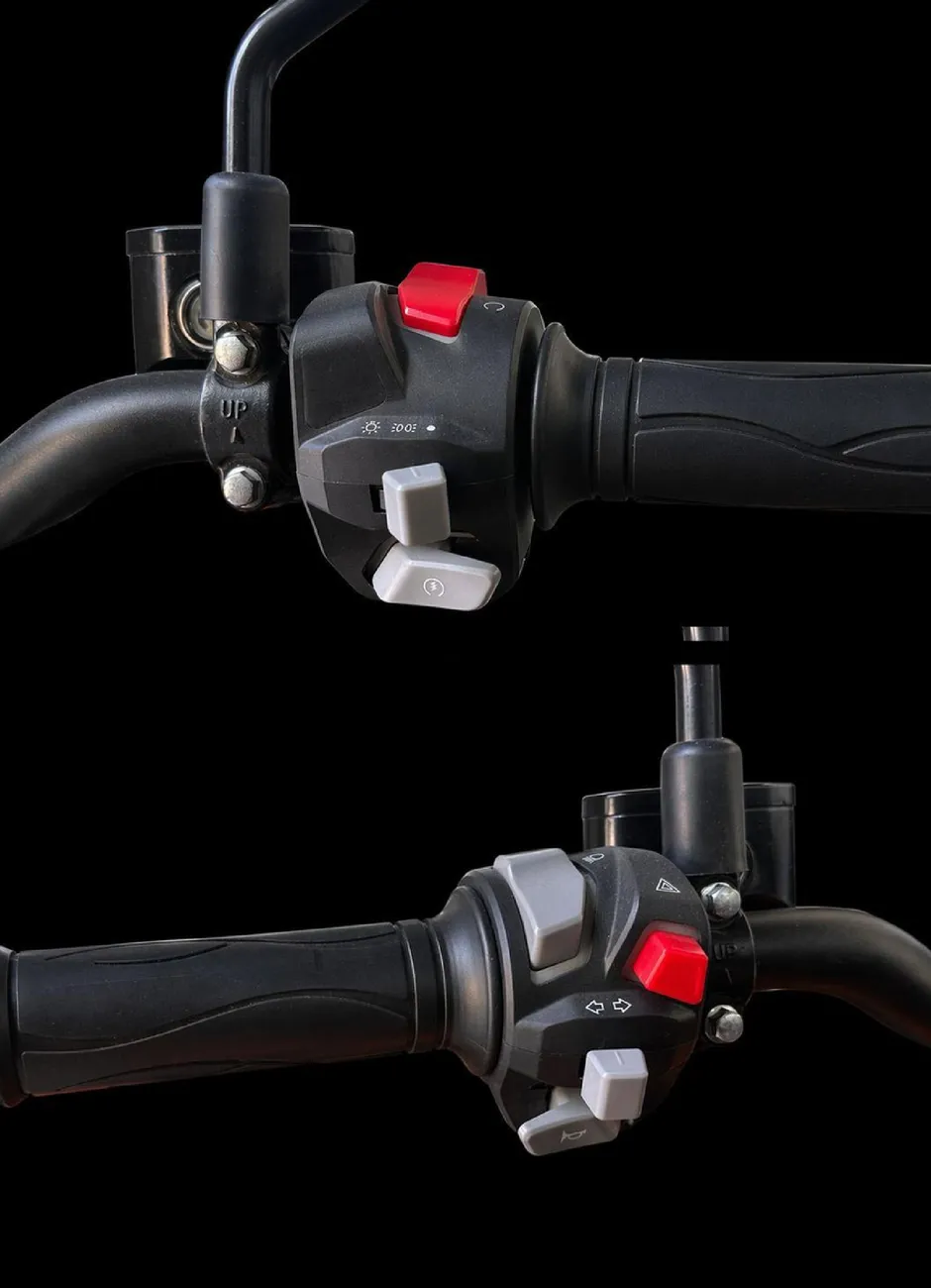
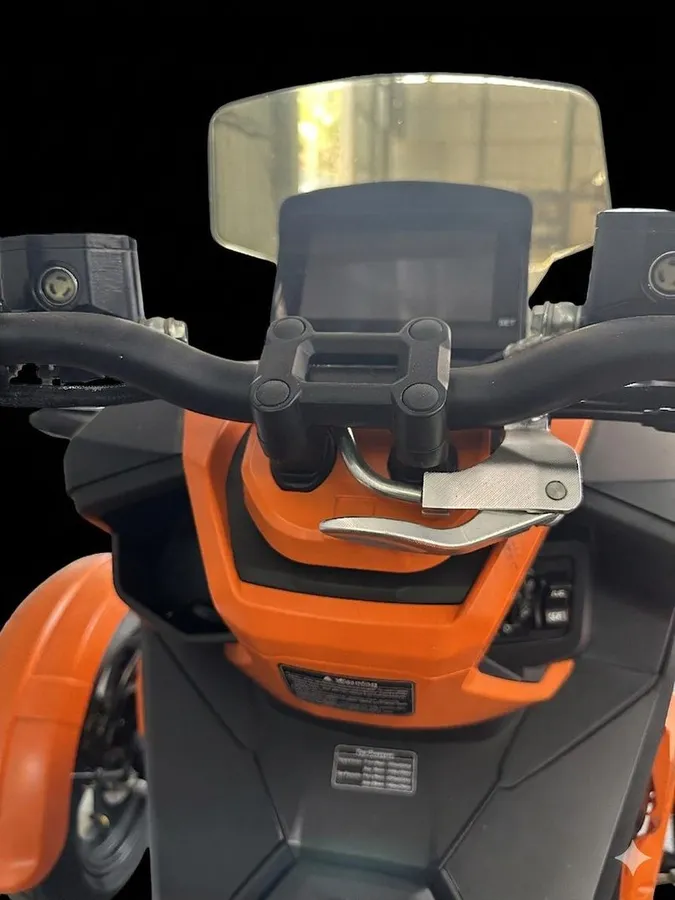
Used to turn off the engine or place the scooter in standby mode.
Used to turn on the parking lights and the main headlights.
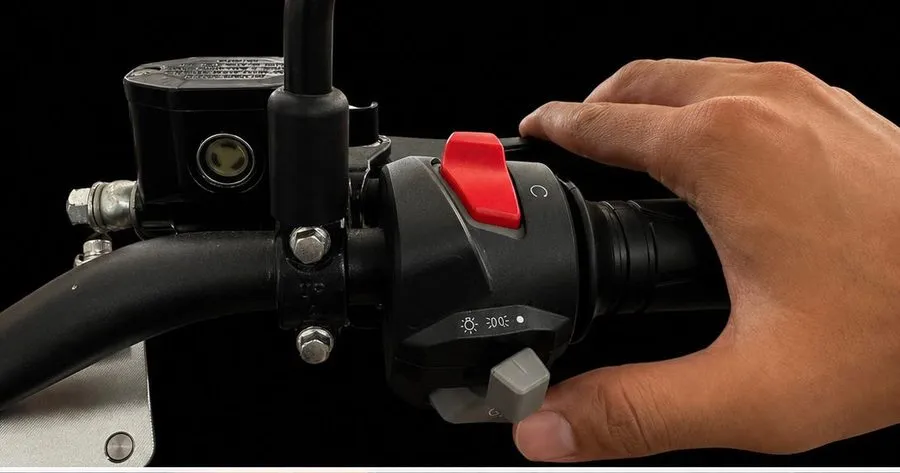
Used to start the engine.
Used to switch between low beam and high beam headlights.
Used to activate the left or right turn signals.
Used to sound the horn.
Used to activate both turn signals at the same time for emergency warning.
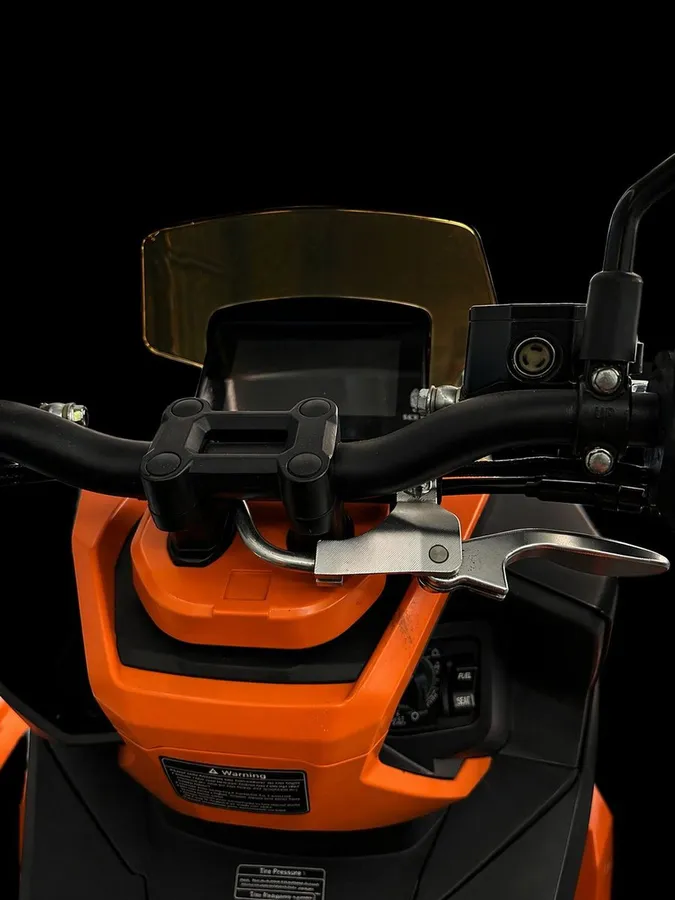
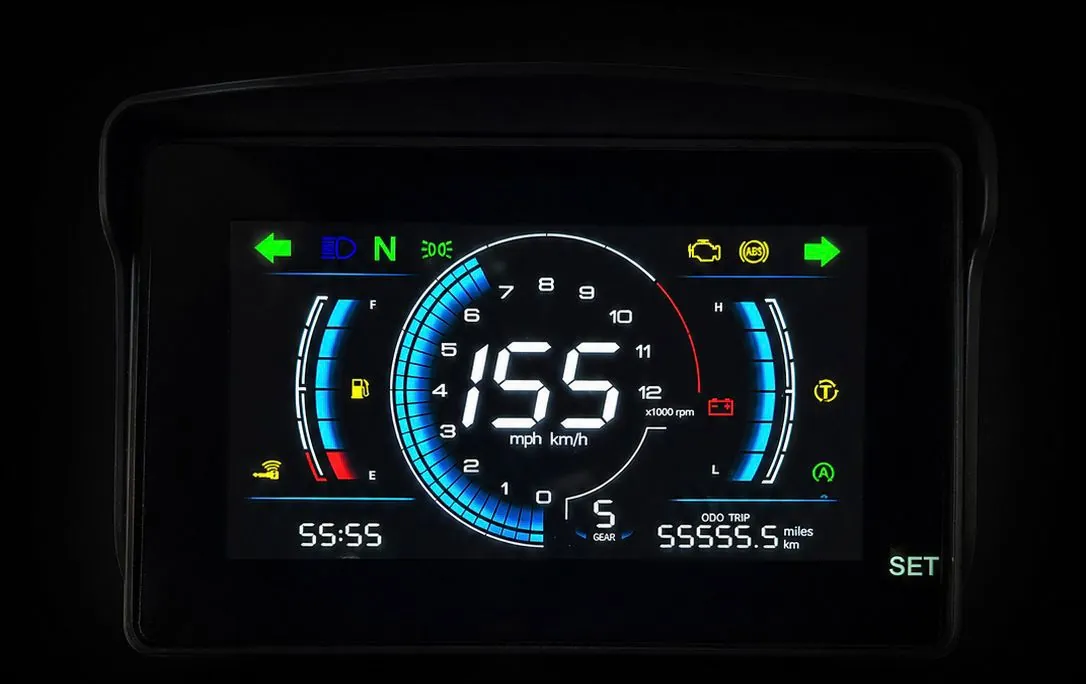
On when the position or parking lights are on.
Blinks when the left turn signal is activated.
Blinks when the right turn signal is activated.
Indicates traction control is active or has a fault.
Illuminates when the high beam is on.
Indicator for low fuel level. Refuel soon.
Indicates an engine or emission system fault.
Alerts for charging system or battery issues.
On if ABS is active or if there is an ABS system issue.
Shows connectivity status.
Lights up when the transmission is in neutral.
Shows Auto Start/Stop system status (active / available).
Displays the current time. Odometer or trip meter reading (miles or km).
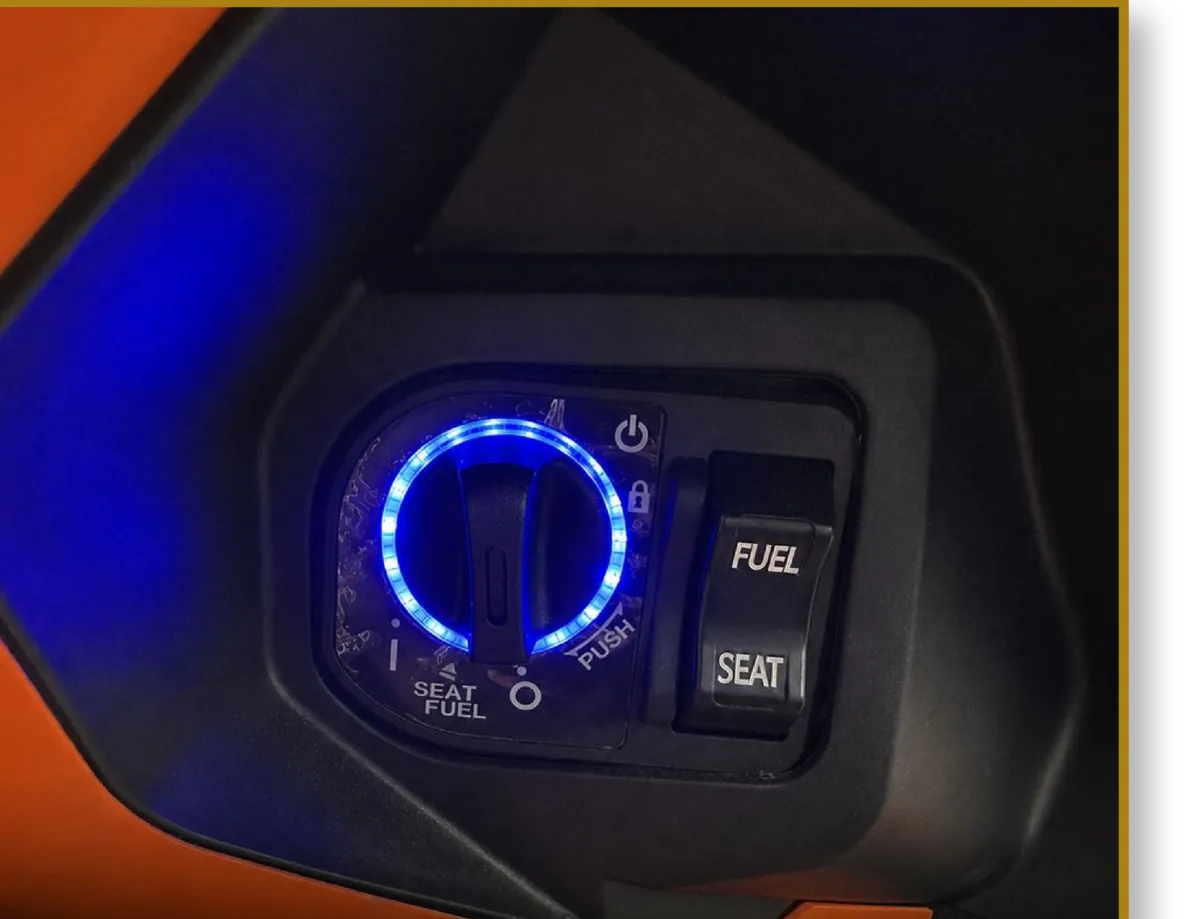
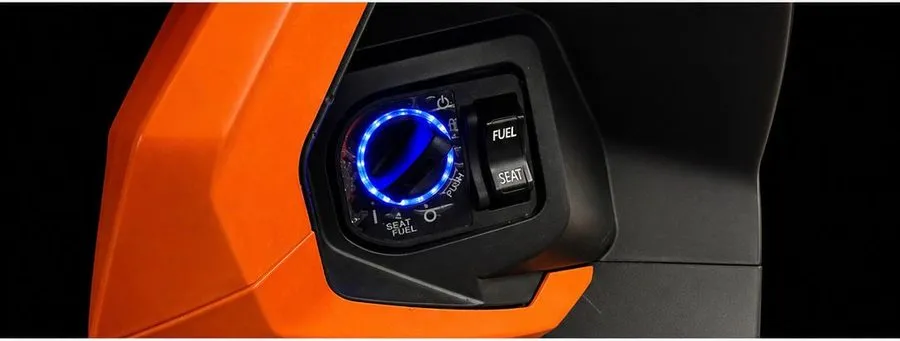
Turns the electrical power on or off (ignition).
Locks the handlebar.
ON position to start the vehicle.
OFF position to turn it off.
Press (push) then turn the knob to the LOCK position.
Press the FUEL button to open the fuel tank cap.
Press the SEAT button to open the seat.
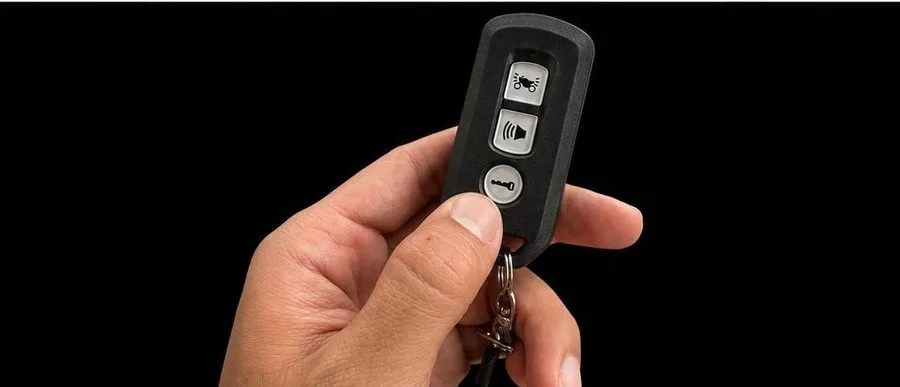 Step 1
Press the LOCK button on the remote.
 Step 2
After pressing the LOCK button on the remote, the knob will light up. Then turn the knob switch to position I (ON).
 Step 3
Hold the hand brake lever, then press the starter button. The scooter will start and be ready to use.

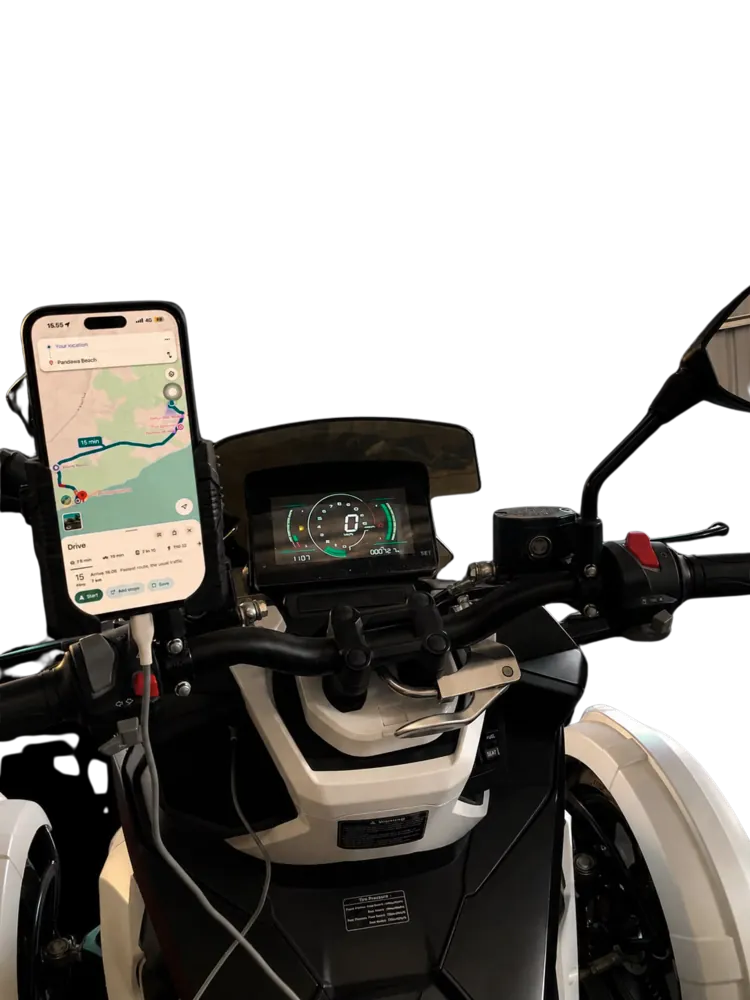
Our scooter is equipped with a USB charger and phone holder.
If you want to operate either device, make sure the scooter is already stopped.
Pertamax only
EMERGENCY ASSISTANCE
Available hours: 10.00 am – 10.00 pm