
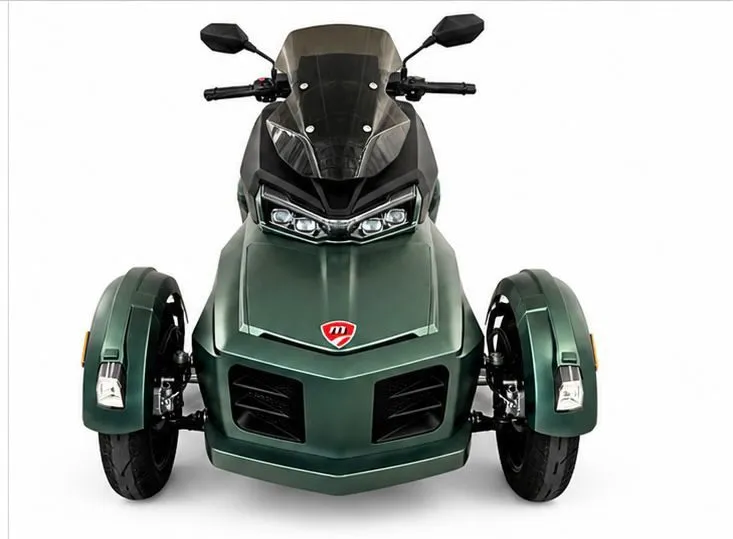
MORATTI SCOOTER TRIKES
User Manual - Moratti Scooter Trikes
01Riding Guidelines

Please read this manual carefully before riding, and always follow the instructions below for your safety.
- Follow all traffic laws and road signs.
- Don't ride in bad weather (storms or strong wind). In the rain, slow down - braking takes longer.
- Don't use the high beam when there's already enough light. It can blind other drivers and pedestrians.
- Turn off the scooter and keep the FOB key safe after use. Keep children away from the scooter.
- Wear proper safety gear: an SNI-certified helmet.
- Maximum speed is 45 km/h. Do not exceed this limit for your safety and others'.
02Safety Guidelines
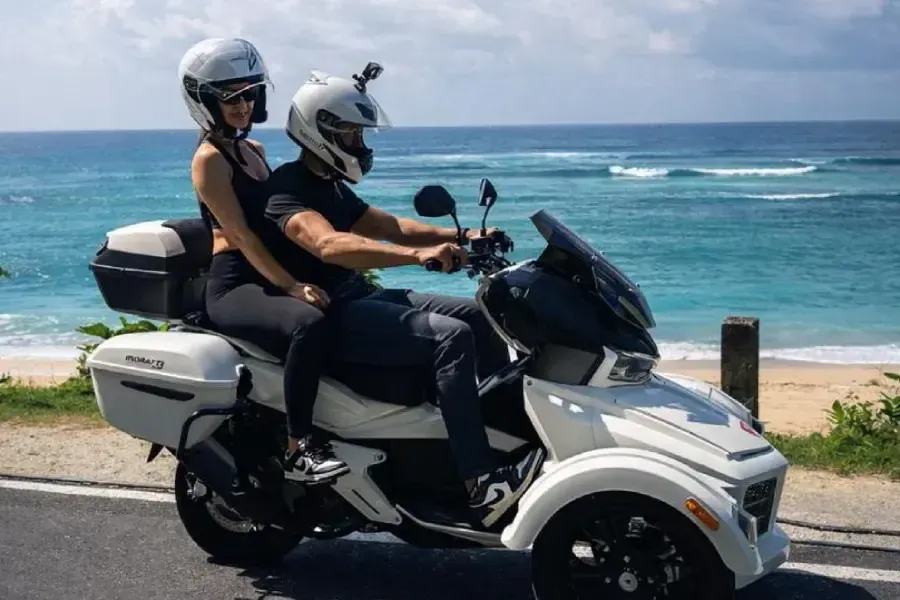
To help ensure your safety and the safety of others, please pay attention to the following:
- Follow traffic laws when riding.
- Avoid riding if you've been drinking, taken medication that affects alertness, or aren't feeling well.
- Ride on flat, even surfaces for the best control and comfort.
03Check Items & Accessories
Before riding, make sure the following items are present and in good condition:
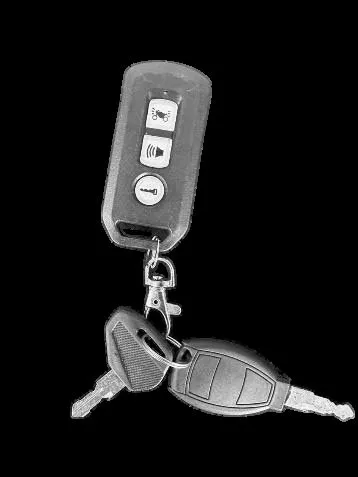
Remote, Storage Box Key, and Front Trunk Key

Scooter Documents Completeness
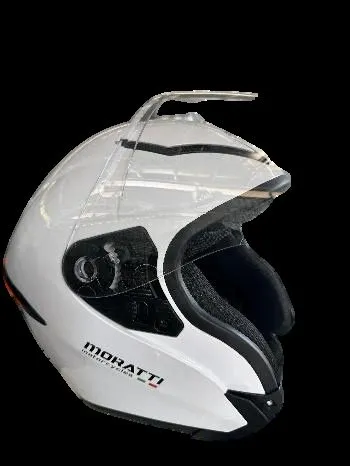
Helmet SNI
04Handlebar Controls
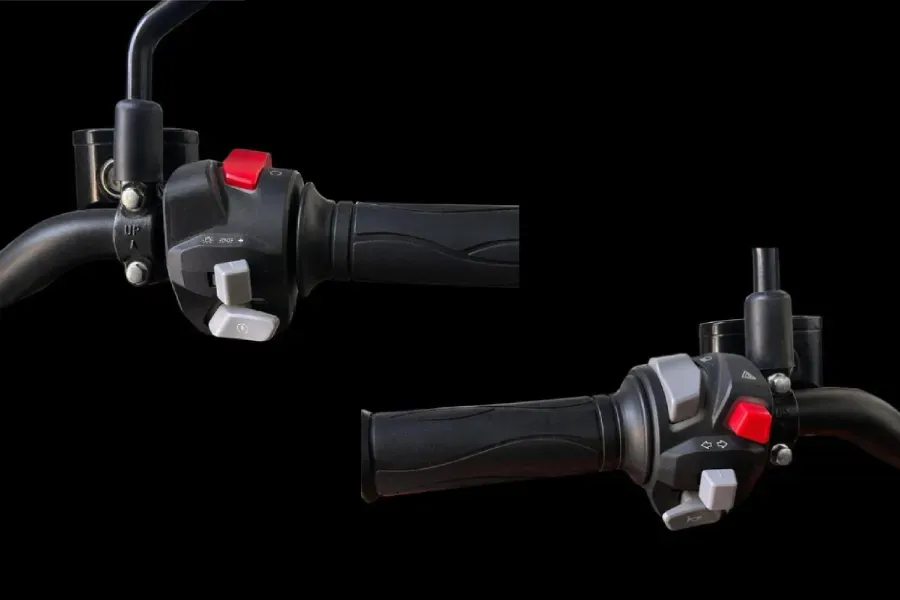
Get to know every button on the right and left handlebar before you start riding.
Right Handle Bar
Engine Stop / Standby Button
Used to turn off the engine or place the scooter in standby mode.
Light Switch Button
Used to turn on the parking lights and the main headlights.
Engine Start Button
Used to start the engine.
Left Handle Bar
Low Beam / High Beam Switch
Used to switch between low beam and high beam headlights.
Left / Right Turn Signal Switch
Used to activate the left or right turn signals.
Horn Button
Used to sound the horn.
Hazard Light Switch
Used to activate both turn signals at the same time for emergency warning.
05Forward / Reverse Transmission Position
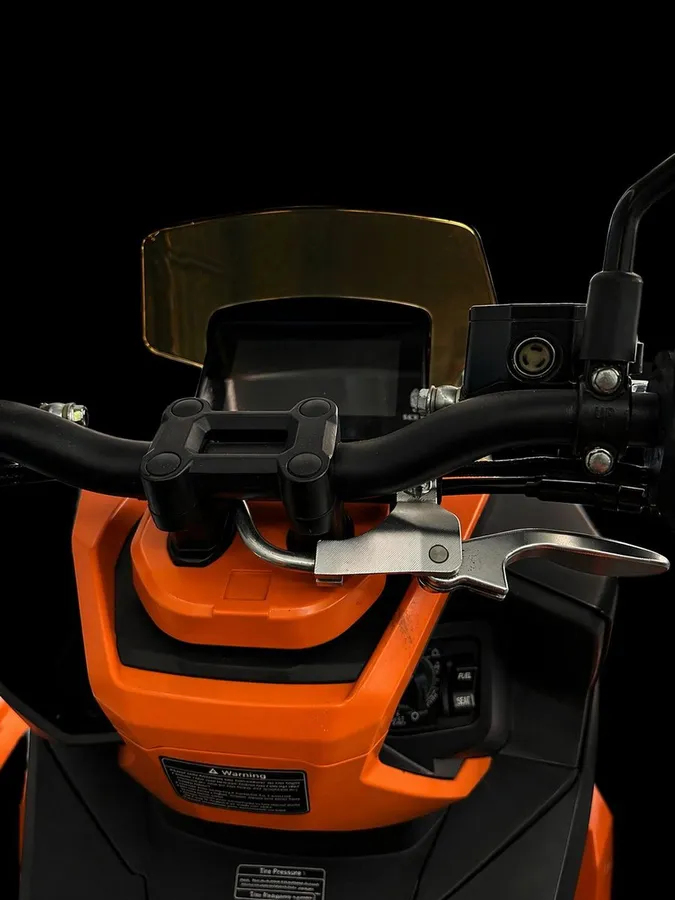
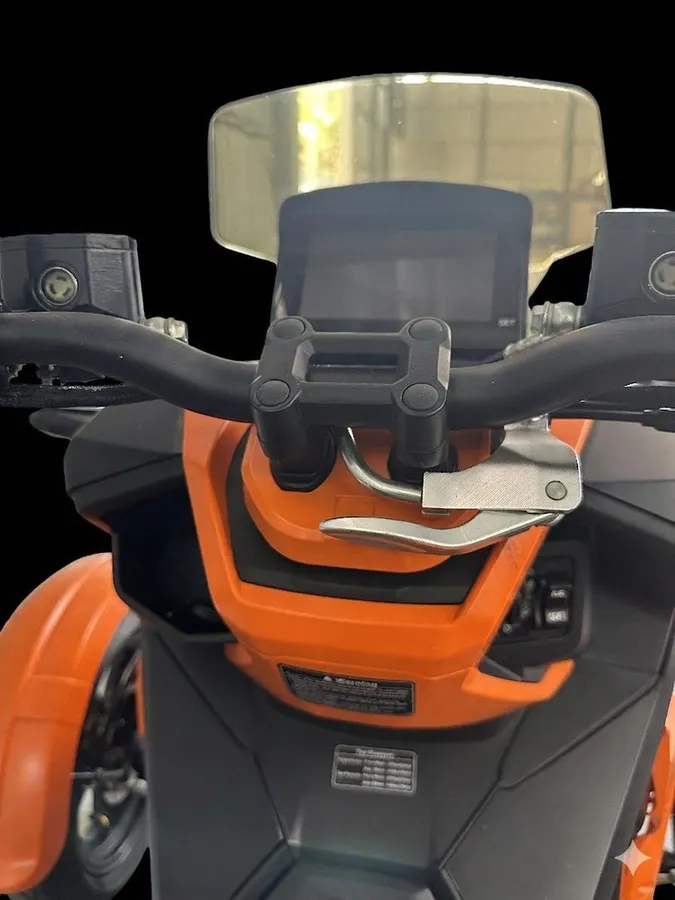
← Reverse Transmission Position
→ Forward Transmission Position
Notes for using reverse transmission:
- Come to a full stop before switching between forward and reverse.
- Release the throttle before shifting gears.
- Use reverse only for slow maneuvers.
06LED Display Icons Description
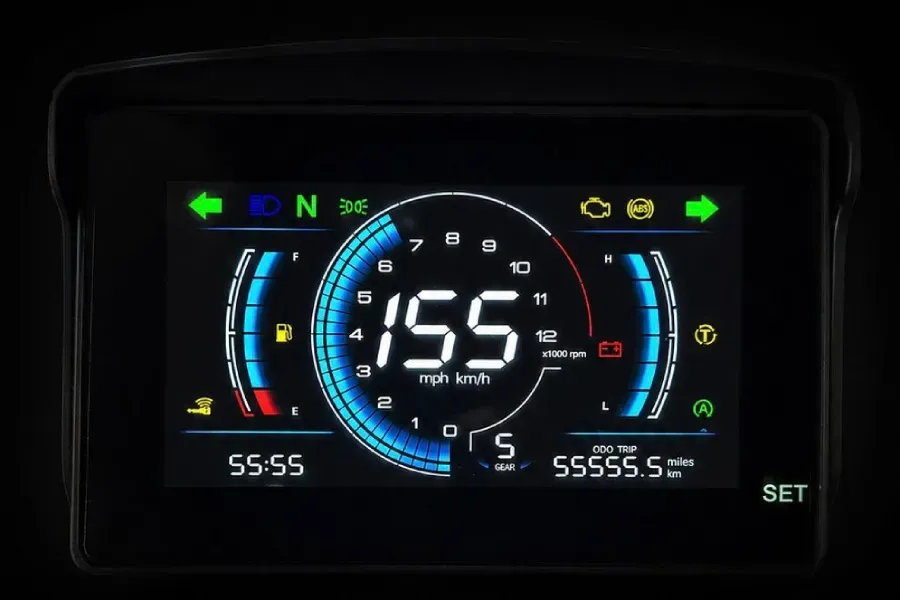
The digital dashboard shows several vehicle status icons. Here is what each one means:
Left Turn Signal
Blinks when the left turn signal is activated.
Check Engine (MIL)
Indicates an engine or emission system fault.
High Beam
Illuminates when the high beam is on.
ABS Warning
On if ABS is active or if there is an ABS system issue.
Neutral Indicator
Lights up when the transmission is in neutral.
Right Turn Signal
Blinks when the right turn signal is activated.
Position Lights
On when the position or parking lights are on.
Traction Control
Indicates traction control is active or has a fault.
Fuel Level Warning
Indicator for low fuel level. Refuel soon.
Battery Warning
Alerts for charging system or battery issues.
Connection Indicator
Shows connectivity status (e.g. to mobile app or system).
Auto Start/Stop
Shows Auto Start/Stop system status (active/available).
Clock
Displays the current time.
ODO/TRIP
Odometer or trip meter reading (miles or km).
07Knob Information
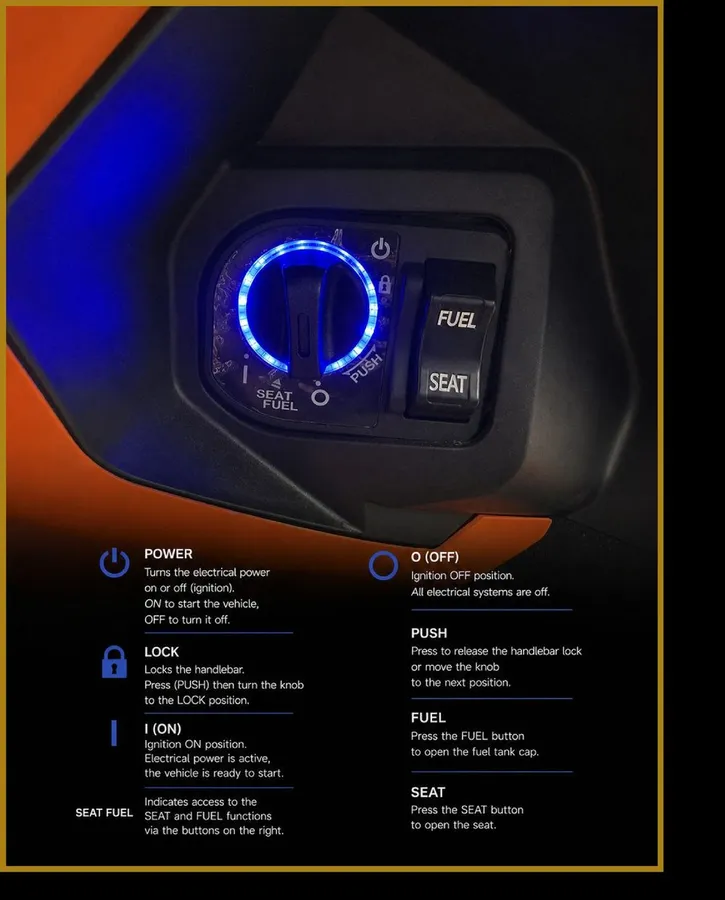
The ignition knob controls electrical power, the handlebar lock, and access to the seat and fuel tank.
POWER
Turns the electrical power on or off (ignition). ON to start the vehicle, OFF to turn it off.
LOCK
Locks the handlebar. Press (PUSH) then turn the knob to the LOCK position.
I (ON)
Ignition ON position. Electrical power is active, the vehicle is ready to start.
SEAT FUEL
Indicates access to the SEAT and FUEL functions via the buttons on the right.
O (OFF)
Ignition OFF position. All electrical systems are off.
PUSH
Press to release the handlebar lock or move the knob to the next position.
FUEL
Press the FUEL button to open the fuel tank cap.
SEAT
Press the SEAT button to open the seat.
08How to Start the Engine
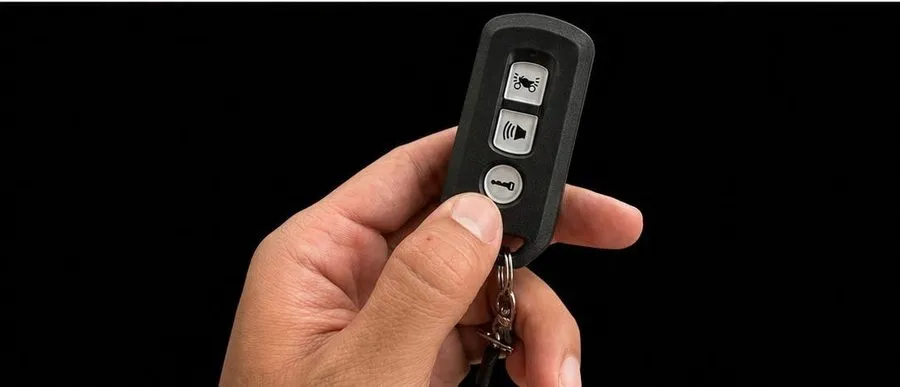
Step 1
Press the lock button on the remote.
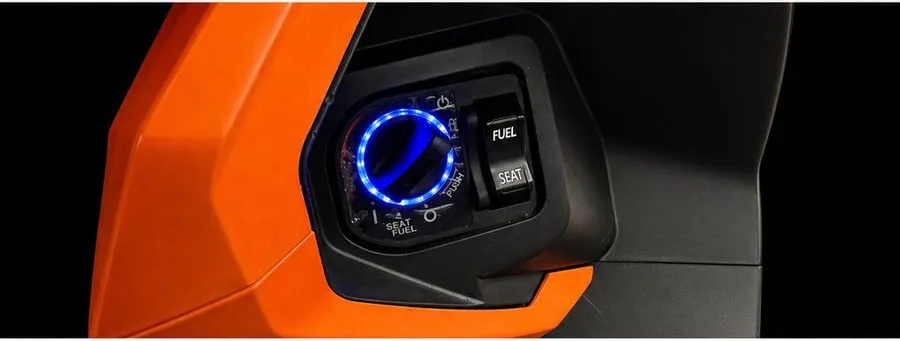
Step 2
After pressing the lock button on the remote, the knob will light up. Then turn the knob switch to position I (ON).
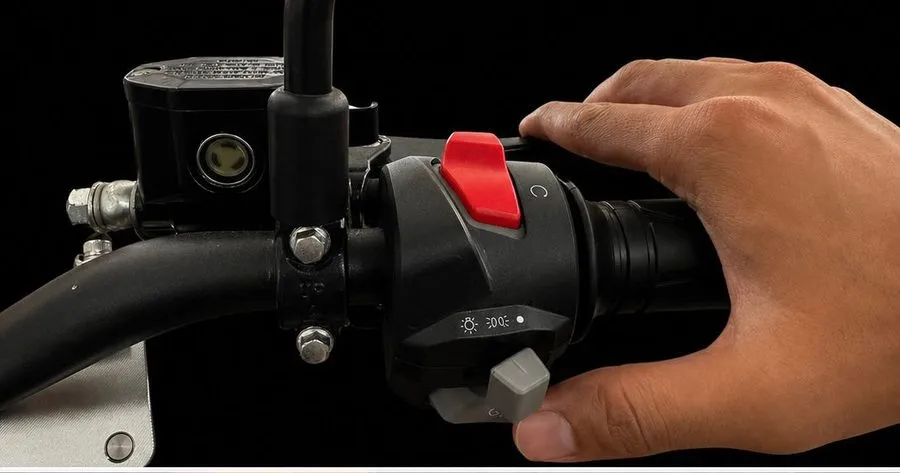
Step 3
Hold the hand brake lever, then press the starter button. The scooter will start and be ready to use.
09Safety Tips
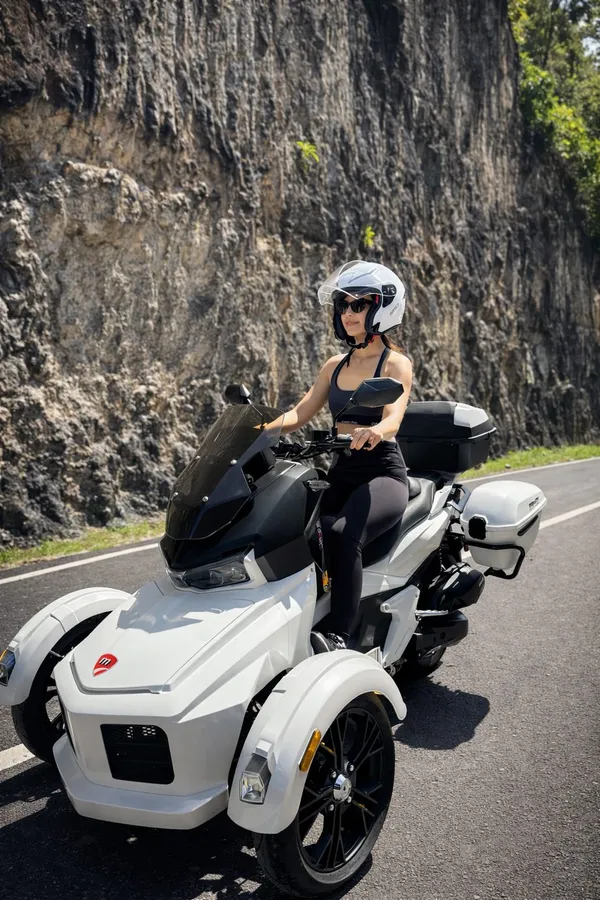
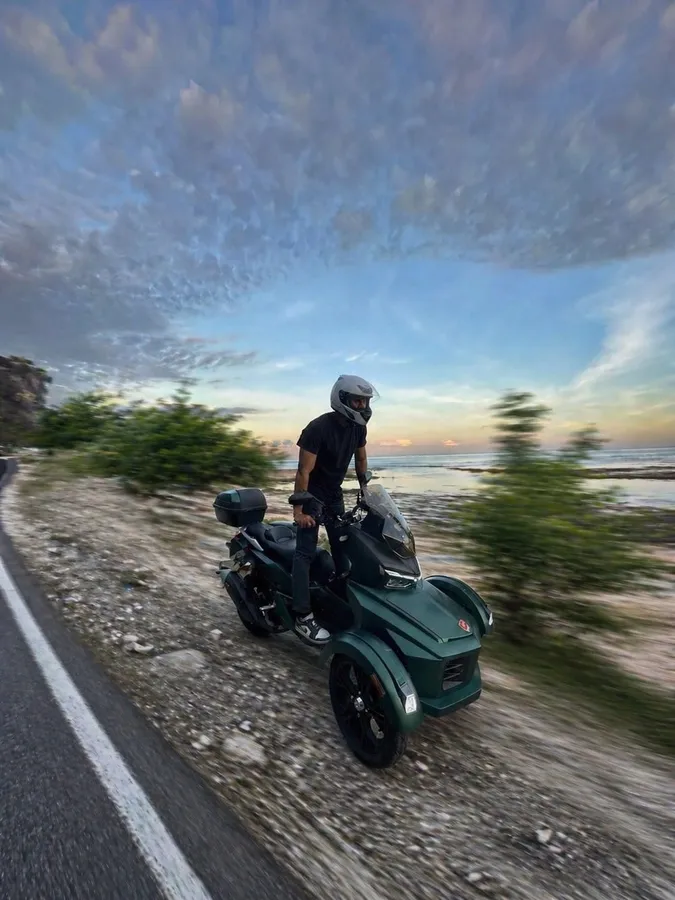
- Keep your speed under 45 km/h.
- Check your mirrors regularly to give way to overtaking vehicles, especially cars.
- Keep a safe distance from other vehicles.
- Stick to paved roads and avoid uneven surfaces.
- If you must cross rocky or uneven terrain, slow down and ride carefully.
- Do not stand on the scooter while riding.
10USB Charger
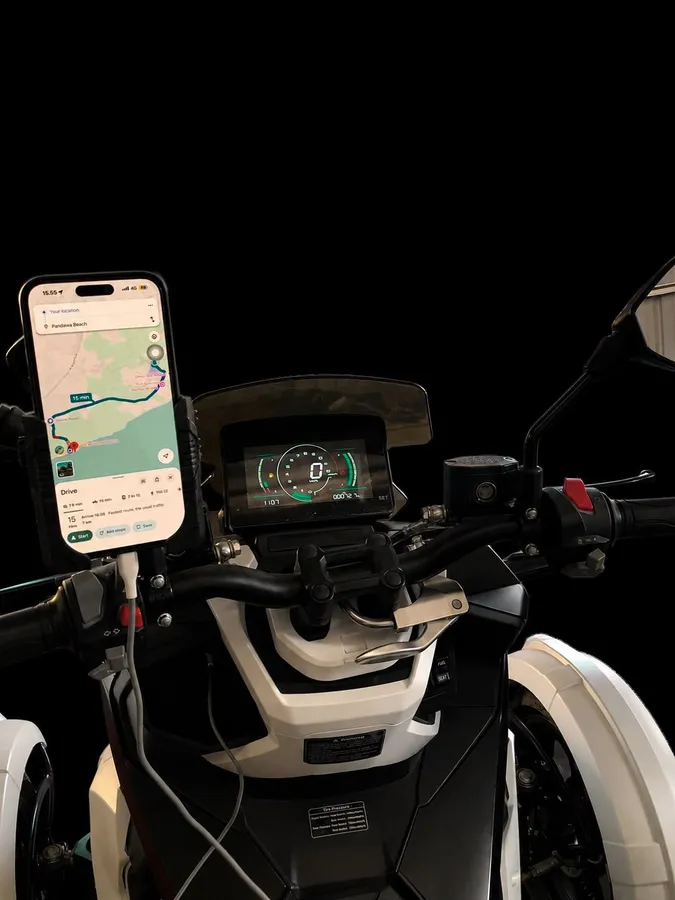
Our scooter is equipped with a USB charger and phone holder.
Make sure that if you want to operate both devices, the scooter is already stopped.
11Additional Information & Notes about Moratti
Characteristics of the Moratti Trike Scooter
- The steering feels heavier compared to a regular motorcycle.
- Do not make sharp turns at high speed.
- Always make U-turns slowly.
Emergency Assistance
Call center: +62 812-7372-2666
Available hours: 10.00 - 22.00 (WITA)
“Send your location and scooter number.”
Fuel Type
Recommended fuel: Pertamax / RON 92 minimum.
Maximum Load / Passenger Limit
Maximum passengers: Maximum 2 persons
Maximum load capacity: Maximum load 150 kg
Warning About Sand / Wet Roads in Bali
Be extra careful on sandy roads, beach areas, wet paint markings, and during rain.
Phone Holder Warning
Do not operate your phone while riding.